From Quote to Shipment,
Run and Improve Your Production
Orders and delivery dates, material, scheduling, the shop floor, quality and maintenance in one place — with four AI agents that propose improvements, checked with formulas and simulation, that you approve first.
The AI proposes. You approve.
Not one chatbot doing everything. In Optonum you ask in AI Chat and see in AI Insights; four agents in the Command Center propose changes worked out with formulas or the simulation. Nothing changes your factory until a person approves it, and shift logs measure whether an applied production change worked.
Ask
AI Chat
Ask open questions. Get grounded answers and charts from your live factory data.
See
AI Insights
Three improvement lanes + optional AI briefing — quick apply, approval drafts, investment park.
Propose
AI Command Center
Four agents Propose a Change Request or Guide the next step. You approve or acknowledge before anything applies.
AI Chat — ask anything about your factory
A grounded dialogue model that reads your assets, cycle times, orders, lines, and latest metrics. It explains OEE, bottlenecks, and Lean concepts using YOUR numbers — it never mutates factory state.
Example
"What's my bottleneck this week?" → OEE decomposition and station util from your data, with a link to dig deeper.
What it does
- Answer open questions in plain language
- Use live project context (sector, capabilities, strategies, simulation metrics)
- Offer prebuilt IE prompts plus free-form chat
- Point you to playbooks or capabilities when action is needed
What it does not do
- Does not change assets, schedules, or inventory
- Does not create purchase orders or Change Requests
- Does not replace the Command Center agents
AI Insights — see what needs attention today
Deterministic factory signals first, then an optional AI briefing. Improvements sit in three clear lanes: quick apply (small model settings), needs approval (Kaizen drafts), and investment park (capacity/automation ideas — no brand or hard price).
Example briefing
KPI · Risk"Assembly util 96% and OTIF at risk — check Bottleneck Oracle. Steel sheet below ROP — open Procurement when unlocked."
What it does
- Surfaces today’s top risks (constraint, material, delivery, quality…)
- Splits actions into Quick apply · Needs approval · Investment park
- Applies safe WIP/buffer tweaks after preview; parks CapEx ideas without fake quotes
- Optional AI briefing on top of your live metrics — not generic industry copy
What it does not do
- Does not buy robots or pick equipment brands for you
- Does not silently rewrite the factory — drafts and CapEx stay human-approved
- Does not burn unlimited tokens — briefings are capped by plan
AI Command Center — four agents that Propose or Guide; you decide
The control panel for the agents: activity feed, ROI per applied proposal, Run AI, approve or reject. Agents run formulas and the simulation engine first (Monte Carlo replications confirm the Oracle’s lift; also EOQ, order-by-order dispatch, Western Electric rules and Ppk with its interval); the AI writes the human briefing. Each run Proposes a Change Request or Guides the next correct step. Free runs the Bottleneck Oracle; Workshop adds Planning; Factory unlocks all four when matching capabilities are on. Run order: Oracle ‖ Planning ‖ Quality, then Procurement.
How a run works
01
Click Run AI — open agents scan live factory data (Oracle ‖ Planning ‖ Quality in parallel, then Procurement)
02
Run formulas and the simulation engine (numbers first — not the LLM)
03
Propose a Change Request with AI narrative, or Guide the next step; Oracle shows a recommended remedy plus alternatives with lift and cost
04
You approve → apply, acknowledge a Guide, or dismiss
Agents run when you click Run AI in Command Center. Every proposal is approval-gated — nothing applies without you.
The four agents
Each names a constraint or thin spot and either proposes a mutating fix or guides the next correct step — when you run them.
Bottleneck Oracle
Runs the Goldratt focusing cycle
Names the plant constraint — the slowest station with setup counted, a material below its reorder point, or the order-book horizon — and picks one remedy that clears the bar, using what the plant owns before buying capacity. Alternatives are listed with lift and cost; with nothing to change, it guides the next step.
Example proposal
"Material constraint: steel sheet below ROP — receive or raise a PO before station moves. Alternatives: labor +3%, SMED +5% (ruled out until leaf is stocked)."
Procurement Agent
Reorders before stock-out — or pauses excess
Watches inventory vs reorder points and max levels, computes Economic Order Quantity, picks the best supplier by price and lead time, and drafts a purchase order — or a pause-replenishment card when stock sits above max. When supplier data is thin, it guides you to what is missing.
Example proposal
"Steel sheet below ROP — draft PO for 1,200 units from Supplier A (best procurement lead time)."
Planning Agent
Keeps open orders on their promised dates
For each late order it tries the remedies a planner has this week, each dated on the order book, and leads with the one that makes no other order late. Each line’s queue is sequenced for the least weighted lateness on a finite-capacity schedule that runs on the plant’s shifts and pays each changeover, swapping pairs of jobs when the queue is long; it never interrupts a running job.
Example proposal
"SO-2026-0002 misses 10 Oct by two working days and no machine can fix it: the plater has to return it within 3 days instead of 6 — or ask the customer for 13 Oct."
Quality Agent
Turns a proven quality problem into a CAPA draft
Scans Western Electric rule breaches, readings outside USL/LSL and Ppk with its 95% interval. A capability CAPA is drafted only when the chart is in control, there are at least 20 readings and the interval’s upper bound is below 1.0; otherwise the index is reported as indicative.
Example proposal
"Bore diameter, Line 2: Ppk 0.71 from 32 readings, 95% interval 0.50–0.92, chart in control — draft CAPA."
Who We Are
Industry 4.0 shouldn't be a privilege.
We're making it accessible to every manufacturer.
Optonum runs the chain from quote to shipment in one place — sales orders dated from capacity and material, MRP and purchasing, stock and lots, scheduling, shop-floor tracking, quality, maintenance and shipping — and improves it in a loop: AI agents propose a change worked out with formulas and the simulation, you approve it, and your shift logs show whether it worked and keep the model calibrated. No six-figure ERP; your ERP keeps the books.
Most manufacturers still run on spreadsheets, paper, and gut feeling while large corporations spend millions on digital transformation. Whether you have not yet caught up to Industry 4.0 or you already improve every day, Optonum helps you close the gap — from a small workshop to a large factory.
Our Vision
Closing the Industry 4.0 gap. While most manufacturers have yet to adopt smart manufacturing, we envision a future where every factory — from a family-run bakery to a multi-line automotive plant — operates with real-time data, predictive insights, and continuous improvement built into their daily workflow.
Our Mission
To raise productivity and cut waste for every manufacturer — especially teams still behind Industry 4.0 standards, and those who never stop improving. We help you improve step by step: simulate before you build, plan before you commit, test a change before it costs you. No six-figure ERP contracts. No months of implementation. Start today and see your first capacity figure the same day.
Paper or spreadsheets. Start free: model a line, run the simulation and see OEE and takt from your own numbers. Workshop adds the shift log, work orders and the rest of the order-to-delivery chain.
Add inventory management, quality control, Lean tools and production planning. Base decisions on your own data, and let the shift log show whether a change worked.
Factory adds MRP, forecasting, the full toolbox, all four agents and a digital twin checked against your shift logs. Enterprise adds several plants, compliance checklists, HTTP IoT ingest and an Andon board — not a turnkey MES.
What You Can Do
From simulation and planning through Lean, quality and approval-gated AI — the order-to-delivery chain on every paid plan, live IoT on Enterprise.

Run Factory Simulations
Stochastic flow simulation — breakdowns, changeovers and variability sampled in every run, running in your browser. Model continuous, batch, job shop or craft, and find the constraint with Theory of Constraints before you change the line. Dispatch rules are compared product by product: each product’s orders run as one campaign.
Open on the Free plan — 3 saved runs, no credit card.
Implement Lean Manufacturing
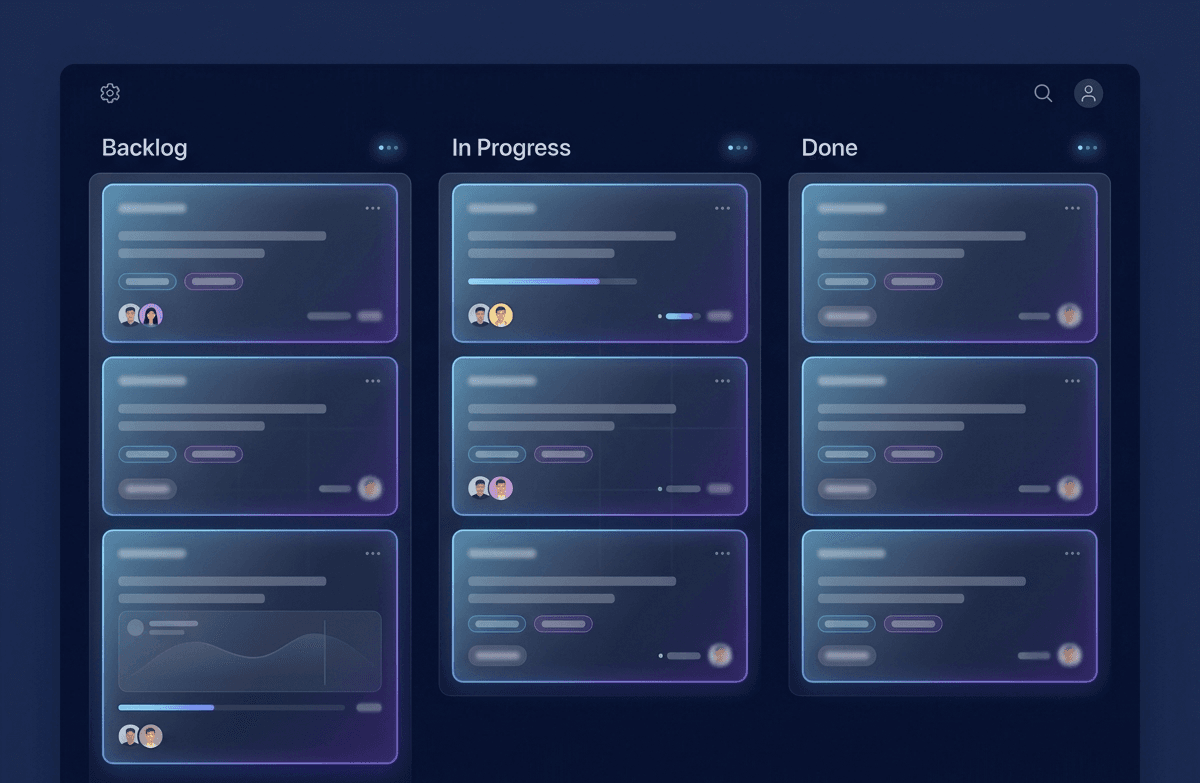
Complete Lean execution hub: Kanban boards with real WIP limits, Kaizen journal with A3 problem-solving templates, automatic 8 Wastes (DOWNTIME) detection from simulation data, 5S audit scoring. Value Stream Mapping with push/pull symbols, takt time reference lines, and before/after comparison.

Improve with AI you approve
AI Chat for grounded Q&A, AI Insights for a daily briefing from your KPIs, and four approval-gated agents (Oracle, Procurement, Planning, Quality) that propose changes worked out with formulas or the simulation. Dialogue never changes the factory; nothing applies until you approve.

Plan Production Scientifically
Demand forecasting with Moving Average, Exponential Smoothing and Seasonal methods. Master Production Schedule with the PAB algorithm. Capacity planning across lines. Work orders on a finite-capacity Gantt, sequenced by EDD, SPT or critical ratio, with lateness measured against the calendar date promised.
Quality & Six Sigma tools
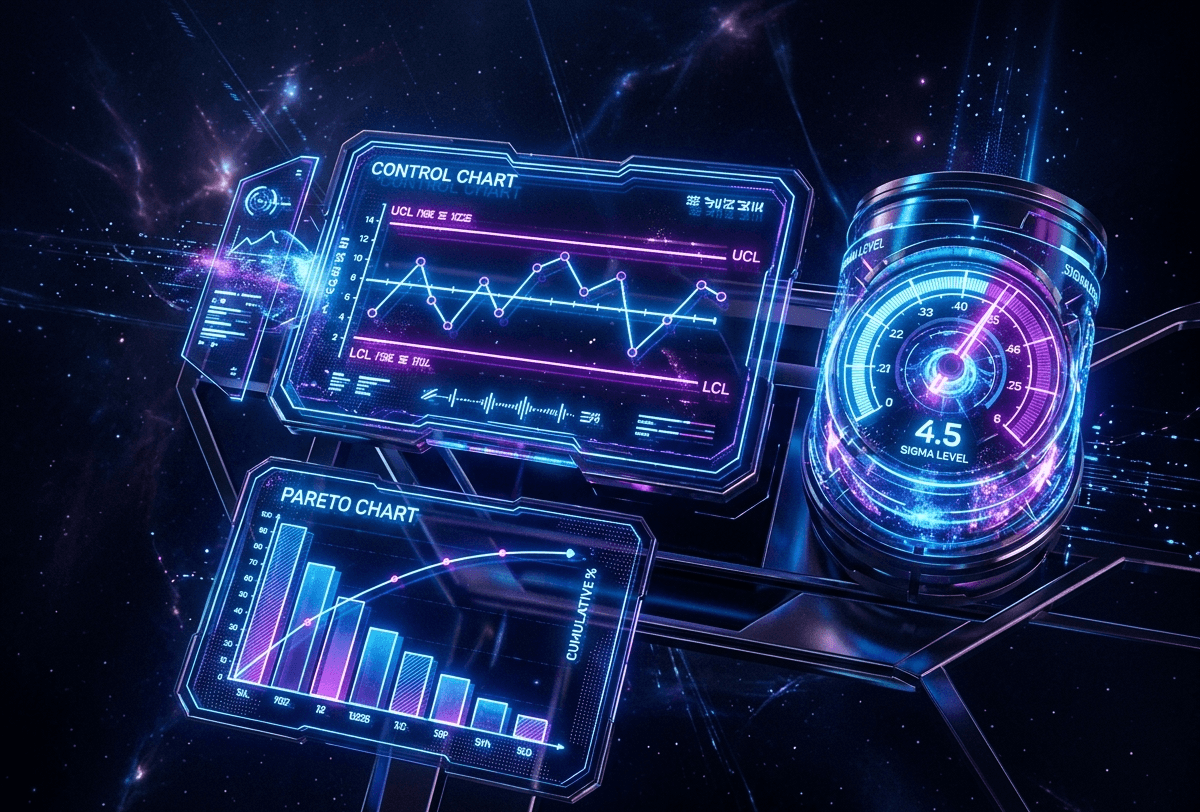
DPMO and sigma level from scrap data; capability indices only from real measurements. SPC charts, FMEA worksheets and the 7 Quality Tools. Optional 8D and regulated-industry checklists (PPAP, ISO 13485) — a checklist and a record, not a validated QMS or Part 11 system.
Plan and operate the shop
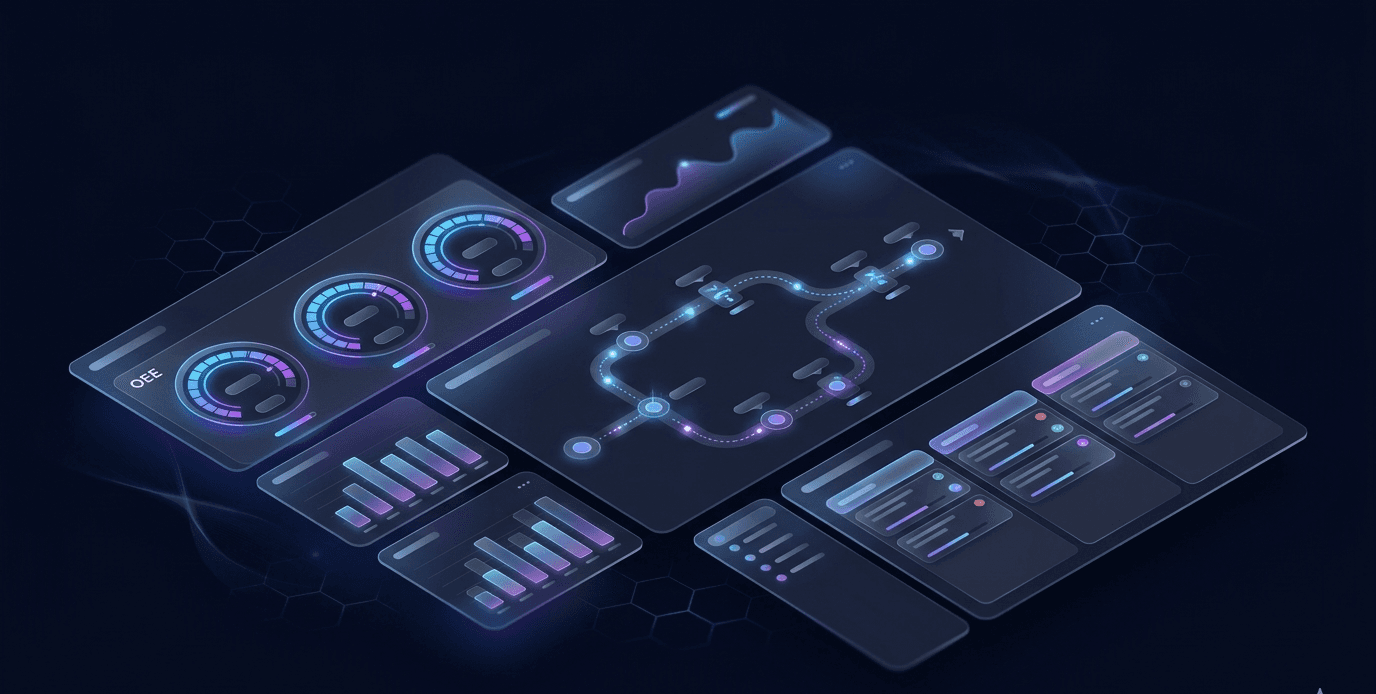
Orders, customers, suppliers, multi-level BOM. MRP with lot sizing (LFL, EOQ, POQ). Procurement and warehouse lite. Maintenance with MTBF/MTTR. Operational depth for factories — not a full SAP FI/HR replacement.
Every department, and when each capability opens
Rows are departments, columns are plans. A capability appears under the plan that first opens it, and stays open on every plan after that.
| Department | Free | Workshop | Factory | Enterprise |
|---|---|---|---|---|
| Today | Central DashboardAI InsightsAI ChatAI Command Center | |||
| My Plant | Product Lifecycle (PLM) | |||
| Order to Delivery | Customers and orders — every plan | Logistics & DispatchSales Orders & Quoting | ||
| Planning | CPM / PERTScheduling (Gantt) | Demand ForecastingMRP PlanningDBR Buffer Execution | ||
| Materials | Inventory & ForecastingProcurementWarehouse Management | ABC/XYZ Analysis | ||
| Production | Production Tracking | Digital Twin | IoT Live DashboardAndon Board | |
| Quality | Quality & Six Sigma7 Quality Tools | FMEAMeasurement System Analysis | 8D / CAPA | |
| Maintenance | Maintenance Planning | Energy Management | ||
| People | Time Study | Health & Safety (HSE)Work SamplingErgonomics (REBA)Workforce & Training | ||
| Improvement | Simulation Engine | What-If ScenariosBottleneck AnalysisLine BalancingFinancial AnalysisLean Manufacturing | Queuing Theory5S AuditLinear ProgrammingLayout Optimizer | |
| Toolbox | Basic Calculators | PDF Reports | Statistical Analysis | |
| Beyond capabilities | 2 seats · 1 projects · 1 plant | 3 seats · 2 projects · 1 plant | 15 seats · 5 projects · 1 plant | Unlimited seats, projects and plants · audit-trail export · priority support and onboarding |
Capabilities are not the whole plan. Multi-plant is the line Enterprise sits on: every other plan is capped at one plant, so a group running three factories cannot use them however many capabilities it turns on.
The three AI surfaces are open on every plan, Free included — a plan changes how often you can run them, not whether you have them.
Fits YOUR Production Model
Not one-size-fits-all. Optonum adapts dashboards, calculations, and insights to 7 production archetypes based on the Hayes-Wheelwright product-process matrix.
Continuous Flow
24/7 bonded flow, rate-based
Olive oil, flour milling, paper, steel rolling, glass
Repetitive / Assembly Line
High-volume, takt-driven
Automotive assembly, white goods, high-volume PCB, PET bottling
Batch Process
Lot-based, setup/cleaning between batches
Bakery, dairy, paint, feed milling, pharma tablets
Discrete Batch / Mixed-Model
Medium volume, multiple SKUs share a line
Furniture, shoes (mass), medical devices, serial sheet-metal
Job Shop / Custom Parts
Each job unique, variable routing
CNC machining, custom sheet-metal fab, weld shops, prototyping
Project / Engineered-to-Order
Single large unique deliverable
Precast and modular construction, shipbuilding, one-off machinery
Craft / Artisan
Hand-made, master-artisan limited
Ceramics, leather goods, handmade shoes, jewelry, glass blowing
What Optonum does, and what it does not
Each row puts what the product does today beside where it stops. If the right-hand column rules it out for you, better to know now.
Why Manufacturers Choose Us
Theory of Constraints Built-In
Output is set by the constraint, as in Goldratt's Theory of Constraints. The product names the constraint from your data and models how much a parallel unit there would add — a modelled figure, labelled as one, not a measurement.
From Time Study to Simulation in Minutes
Record cycle times, set up your production line on the visual canvas, and run a simulation — all in the same platform. No export/import between disconnected tools.
Scales from Workshop to Factory
Every paid plan runs the same order-to-delivery chain. A larger plan adds depth — MRP, forecasting, the full toolbox, more plants — not a different product. Start on one project and grow without migrating.
Real Formulas, Not Black Boxes
OEE = Availability x Performance x Quality. WIP = Throughput x Lead Time. The ? beside each dashboard figure shows the formula behind it and what it was calculated from.
AI Grounded in YOUR Data
The assistant receives your factory context — assets, work centers, lines, orders, shift patterns, latest OEE — and answers with real calculations. It is separate from the Command Center agents, which propose changes for your approval.
Open & Affordable
No per-seat licensing. No six-figure yearly ERP contracts. Start free on one project and add capabilities as you grow — machines, lines, products and orders are unlimited on every plan.
14 Built-in Calculators
OEE, takt and learning curve on every plan; time study, the 7 quality tools and CPM/PERT from Workshop; the rest on Factory. Every formula transparent; no simulation required.
Simple pricing that grows with you
Every paid plan runs the whole order-to-delivery chain — quote, work order, shift, maintenance, inspection, shipment. Plans differ by depth, scale, automation and governance. AI limits are per organization; no per-seat surprises.
You can start right away with a free account. On paid plans we set the price with you, to the scale and needs of your plant.
Free
Try it on your own plant: model a line, see its first number
.
See your first number: model one line and run it.
- 2 seats · 1 project
- Central dashboard + KPIs
- Flow simulation with Monte Carlo, in your browser
- Basic calculators (OEE, takt, learning curve) — free on every plan
- AI Chat: 15 messages/day per org (grounded in your data)
- AI Insights: 1 real briefing/day per org
- Bottleneck Oracle: 5 on-demand runs/month in Command Center (Run AI)
Workshop
For a small shop where one person plans production
.
The whole order-to-delivery chain, at the size of a small shop.
- 3 seats · 2 projects · one plant
- Everything in Free
- Quote to shipment: quotations, sales orders, delivery notes that close the order
- Work orders on a finite-capacity Gantt, sequenced by EDD, SPT or critical ratio
- Shift log, breakdown log and preventive calendar, inspection and nonconformance
- What-if scenarios, bottleneck analysis, line balancing, financials
- Lean hub: SMED changeover cuts, Kanban, VSM, 8 wastes
- Warehouse lite: stock, warehouses, purchasing
- Toolbox: time study, 7 quality tools, CPM/PERT, PDF reports
- Bottleneck Oracle + Planning agent — shared pool of 50 runs/month
- AI Chat 50 messages/day · AI Insights 5 briefings/day, per org
Factory
For plants where planning, purchasing and quality are separate people
.
The same chain in depth, for a plant with separate planning, quality and purchasing.
- 15 seats · 5 projects · one plant
- Everything in Workshop
- Planning depth: MRP with lot sizing, demand forecasting, drum-buffer-rope, workforce planning
- Documents and revisions (PLM lite), energy analysis
- Full toolbox: FMEA, MSA / Gauge R&R, statistics, work sampling, ABC/XYZ, queuing, 5S, linear programming, ergonomics, layout, HSE
- Digital twin: the model checked against your shift logs, with an approval-gated correction when the gap holds
- All four agents — Procurement and Quality join — shared pool of 200 runs/month (each needs its capability on the project)
- AI Chat 500 messages/day · AI Insights 15 briefings/day, per org
Enterprise
Groups with several plants, regulated suppliers, seasonal processors — talk to us
.
Several plants, regulated customers, live machine signals.
- Everything in Factory
- Unlimited plants, seats and projects + CSV audit-trail export
- Real-time included: HTTP IoT ingest and an Andon board — webhook ingest, not plant SCADA
- Compliance: 8D + PPAP / ISO 13485 checklists — a checklist and a record, not a validated QMS
- Priority support and onboarding
Machines, lines, products and orders are unlimited on every plan.
Not sure? If one person plans production, Workshop fits. If planning, purchasing and quality are separate people, Factory.
FAQ
How is Optonum priced?
Per organization, not per seat you add — plans include a set number of users. Simulation runs in the app; you pay for the platform, not per-seat ERP.
How fast can an empty account see value?
Create a project → on an empty dashboard follow Help → Getting Started: work centers → assets → BOM → lines → orders) → Run Simulation → open AI Insights. Sample data is for learning; replace it with your plant. AI gets richer as you add shift logs and saved runs.
Are AI Chat, AI Insights, and Command Center included?
Yes — as three separate surfaces. Free includes real AI Chat and AI Insights (tight daily caps) plus Bottleneck Oracle trial runs in Command Center (see pricing cards). Workshop raises the daily caps and pairs the Oracle with the Planning agent in a shared run pool. Factory unlocks all four agents (Oracle, Procurement, Planning, Quality) via Run AI when the matching capabilities are enabled. Agents Propose a Change Request or Guide the next step — every mutating proposal is approval-gated.
What's the difference between Chat, AI Insights, and Command Center?
Chat (Ask): you ask questions — answers only, no factory changes. AI Insights (See): a briefing of today’s risks from your KPIs — still no auto-apply. Command Center (Act): on Run AI, formulas and the simulation engine run first; agents Propose Change Requests or Guide the next step (Oracle ‖ Planning ‖ Quality, then Procurement). Free runs the Oracle only; Workshop adds Planning. Limits are on the pricing cards.
Can I start without a credit card?
Yes. The Free plan is free forever for one project. Upgrade only when you need more projects, users, or capability packs.
How do the plans differ?
By depth, not by cutting the chain. Workshop runs quote to shipment — orders, work orders and the Gantt, shift and breakdown logs, inspection — plus simulation, Lean, warehouse lite and the basic toolbox. Factory adds planning depth (MRP, forecasting, DBR, workforce), the full toolbox, the digital twin and all four agents. Enterprise adds several plants, compliance and real-time. You switch on only what fits your production type, and every plan runs all its granted capabilities at once — there is no active-capability count.
FAQ
Questions manufacturers ask
Answered as the product works today — including where the honest answer is "not yet".
What is Optonum?
Optonum is a browser-based operations platform for manufacturers that runs the chain from quote to shipment in one place, laid out like the plant: Order to Delivery, Planning, Materials, Production, Quality, Maintenance, People and Improvement. Four AI agents propose changes worked out with formulas and the simulation; nothing changes until a person approves, and shift logs measure the result and show when the model needs calibrating. It sits beside your ERP and imports its spreadsheet exports, including those from Logo, Mikro and Netsis; it does not replace it.
Who is it for?
First, plants of roughly 20 to 150 people that plan in spreadsheets beside an ERP and cannot say where the bottleneck is or whether a date is safe. Second, workshops of 1 to 20 people that do not want a heavy ERP. It is the wrong fit for a business that only needs accounting or e-invoicing, and it does not target semiconductors, power generation, aerospace and defence, or livestock and field farming.
Is there a free plan?
Yes. The Free plan has no time limit and needs no credit card. It covers one plant, one project and two users, with the dashboard, the flow simulation, the OEE and takt calculators, AI Chat and AI Insights with daily limits, and five Bottleneck Oracle runs a month. Machines, lines, products and orders are unlimited. The paid plans (Workshop, Factory, Enterprise) add users, projects and agents, and are priced per organisation with you.
How long does setup take, and what data do we need first?
You see a first number on the day you sign up: the setup wizard asks up to four questions about the station that limits your output and shows the capacity those answers give. After that, data goes in this order — work centres, machines with cycle times, products with bills of materials and routings, production lines, then customers and orders. We have not yet measured how long a full setup takes at a real plant.
What if we have no data?
Any input can be left empty. A blank tile on the dashboard means the data behind it is missing; it never shows zero or an average dressed up as your number, and a rate you never entered is labelled assumed. The time-study, OEE and takt calculators work without plant data, so you can start with a stopwatch. What we cannot do is give a trustworthy answer from no data, and we say so rather than fill the gap.
Does it connect to our ERP, SAP or accounting package?
Machines, bills of materials, routings, orders, quality readings and customers import from CSV or Excel, with Turkish column headers. Stock cards, customer lists, sales orders, open purchase orders and recipes exported from Logo, Mikro and Netsis import as they come out, recognised by their column names; there is no live connection to those three, and no mapping has yet been checked against a customer's own file. A read connector for SAP S/4HANA exists but has not yet been used with a customer's live system. General ledger, payroll and e-invoicing stay in your ERP or accounting package.
Does it work for our production type?
The product knows seven production types — job shop, discrete batch, repetitive, batch process, continuous, project and craft — and the type decides what the dashboard shows, which data it asks for and which advice makes sense. Job shop, discrete batch, repetitive and batch process are where most of what we have built and tested is concentrated; continuous, project and craft are supported and secondary for us. A line can carry its own type when a plant mixes two.
Which languages does it support?
Turkish and English throughout: every screen, the help centre, and PDF and Excel exports. Each user chooses their own language, and the AI features answer in it. Numbers and dates follow the language (1.234,5 in Turkish, 1,234.5 in English), and the import reads either style.
Does the AI change anything on its own?
No. AI Chat answers questions and changes nothing. AI Insights gives a briefing and changes nothing. The AI Command Center agents propose a change or guide the next step, and nothing is applied until a person approves it. The figures come from formulas and the simulation engine; the language model only writes the explanation.
Stop Losing Money to Bottlenecks You Can't See
Create a project, follow Getting Started, then Run Simulation — first AI Insights in minutes. No credit card required.